Agents cannot create taxonomy terms directly. Instead, Taxonomy Requests let them ask for new terms while filling in a listing, and let administrators review those requests.
Requestable taxonomies: Property Department, Property Type, Property Status, Property Feature, Property Location, Property Tag, and Property Badge.
Agent flow:
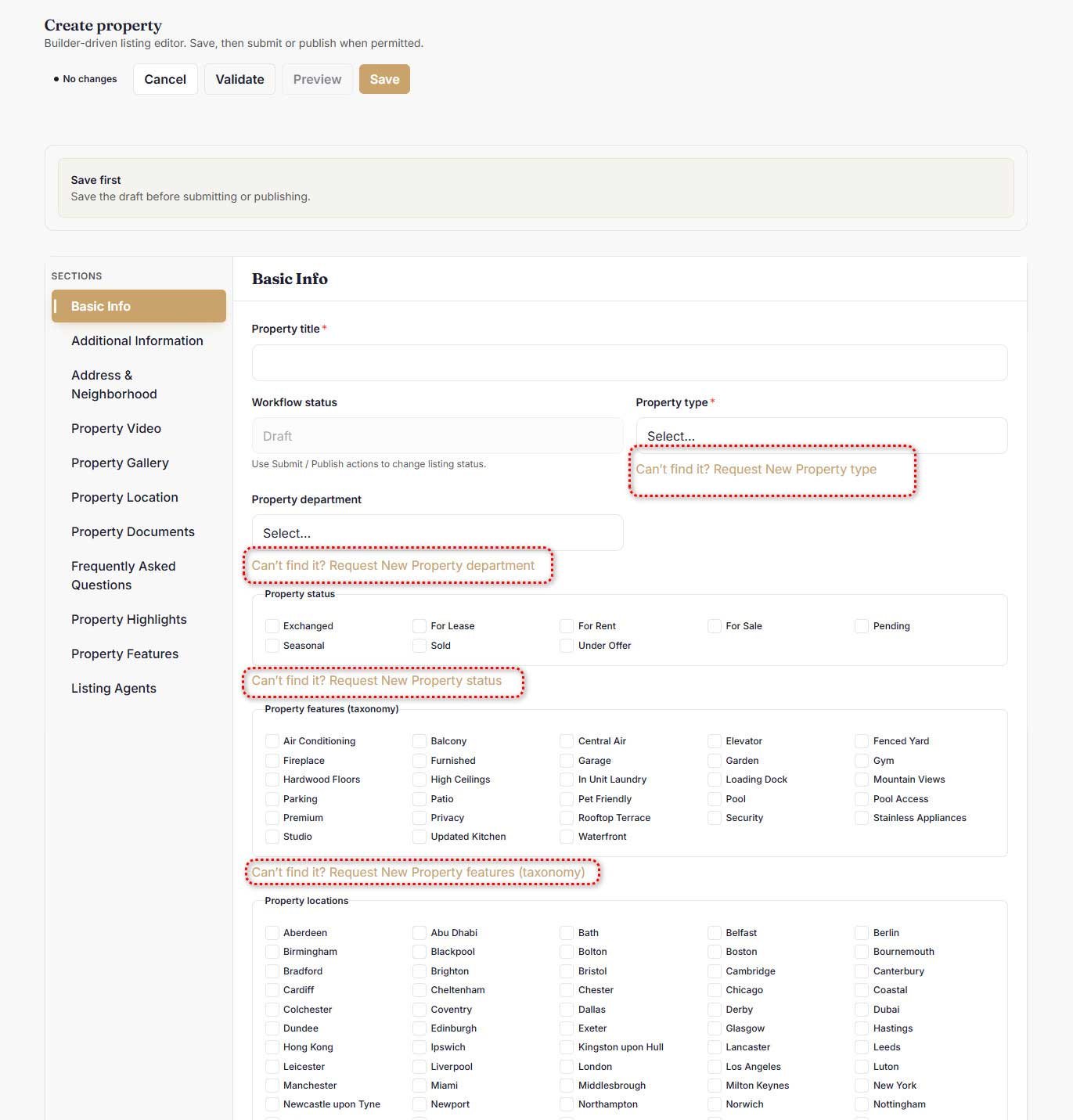
- In the property form, if a term is missing, select Can’t find it? Request New {taxonomy}.
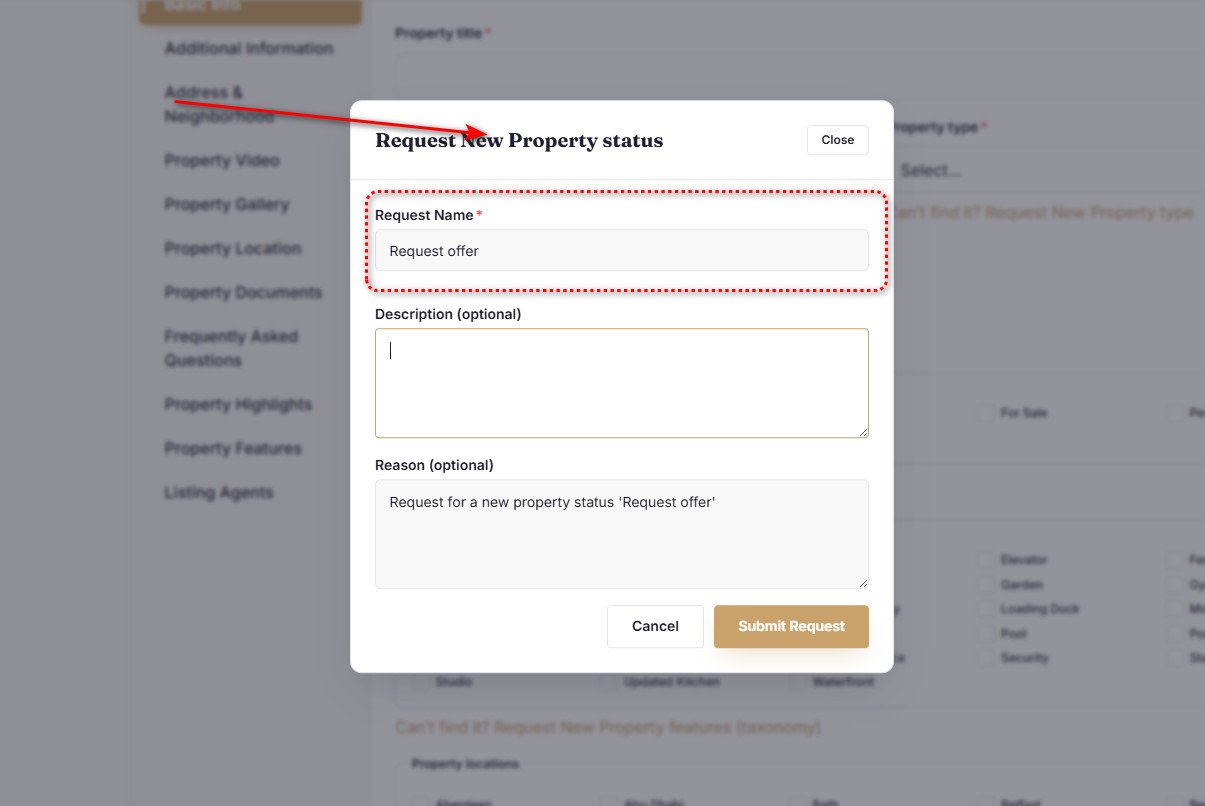
- Fill in the Request Name (required, up to 191 characters) and optionally a Description and Reason (up to 2,000 characters each).
- As you type, “Did you mean?” suggests existing terms — you can pick one instead of requesting.
- Select Submit Request. A toast confirms: “Your request is awaiting review.”
Agents can submit up to 10 requests per 24 hours. Duplicate active requests and requests matching an existing term are rejected with a clear message.
Request statuses: Pending, Processing, Approved, Rejected, Merged, Deleted.
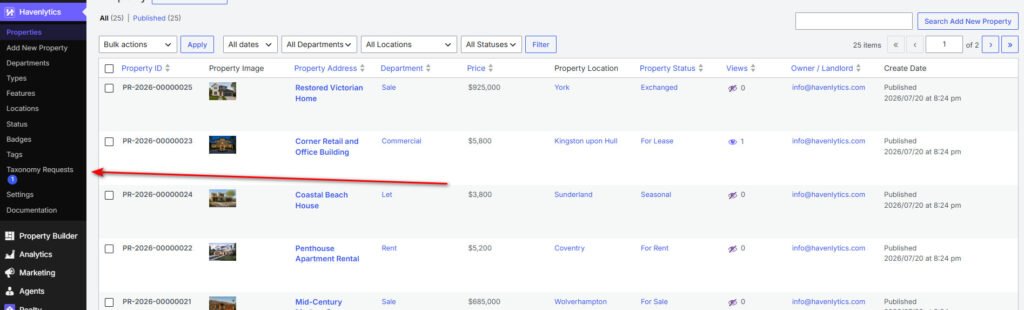
Admin review: the Taxonomy Requests page appears under the Havenlytics Properties menu once the first request exists, with a pending-count badge on the menu. For each pending request, administrators can:
- Approve & Create Term — creates the term and notifies the agent. If a matching term appeared in the meantime, the request is merged instead.
- Reject Request — requires a rejection reason, which is shared with the agent.
- Merge Into Term — resolve the request by pointing it at an existing term.
- Delete Permanently — administrators only; audit history is preserved.
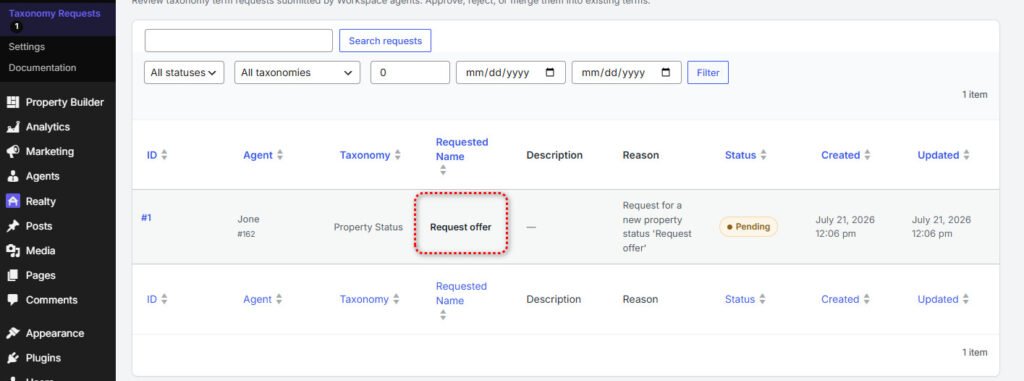
Each request keeps an audit timeline of who did what and when. The agent is notified of every outcome by an in-app notification and an email (both individually toggleable).