Guest Login
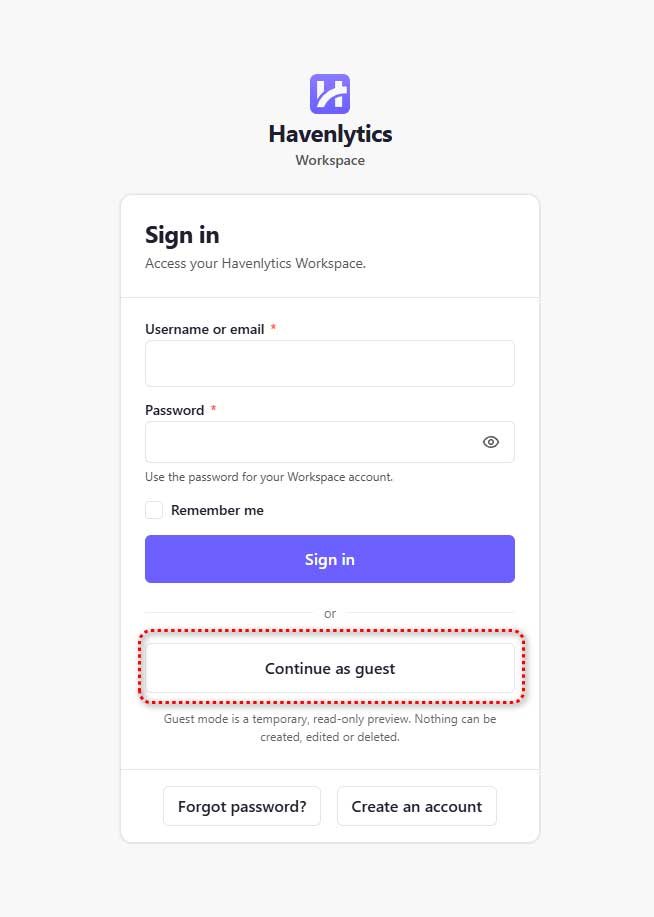
Guest Login is an optional, read-only preview of the Agent Workspace for visitors without an account. It is off by default; enable it with Allow Guest Login on the General sub-tab.
How it works for the visitor:
- On the workspace login screen, select Continue as guest.
- The workspace opens in guest mode with a persistent banner: “You are exploring in guest mode — this is a read-only preview.” The banner shows the time remaining and an Exit guest mode button.
- The session ends automatically — 30 minutes by default.
What guests can see: Dashboard (public counts of published listings and active agents), Properties (published listings, read-only, up to 5 pages), Saved Properties (their own browser-saved favorites), and a placeholder Profile. Inquiries, Analytics, Notifications, and Settings are never available to guests.
What guests are not: a guest is never a WordPress user. No account is created, no role is assigned, and every write action is disabled. Guest sessions use a secure, HttpOnly cookie and are rate-limited to 10 new sessions per IP address per 10 minutes.
Emergency kill switch: define( 'HVNLY_WORKSPACE_GUEST_ENABLED', false ); in wp-config.php forces guest login off. The constant can only disable the feature, never enable it.