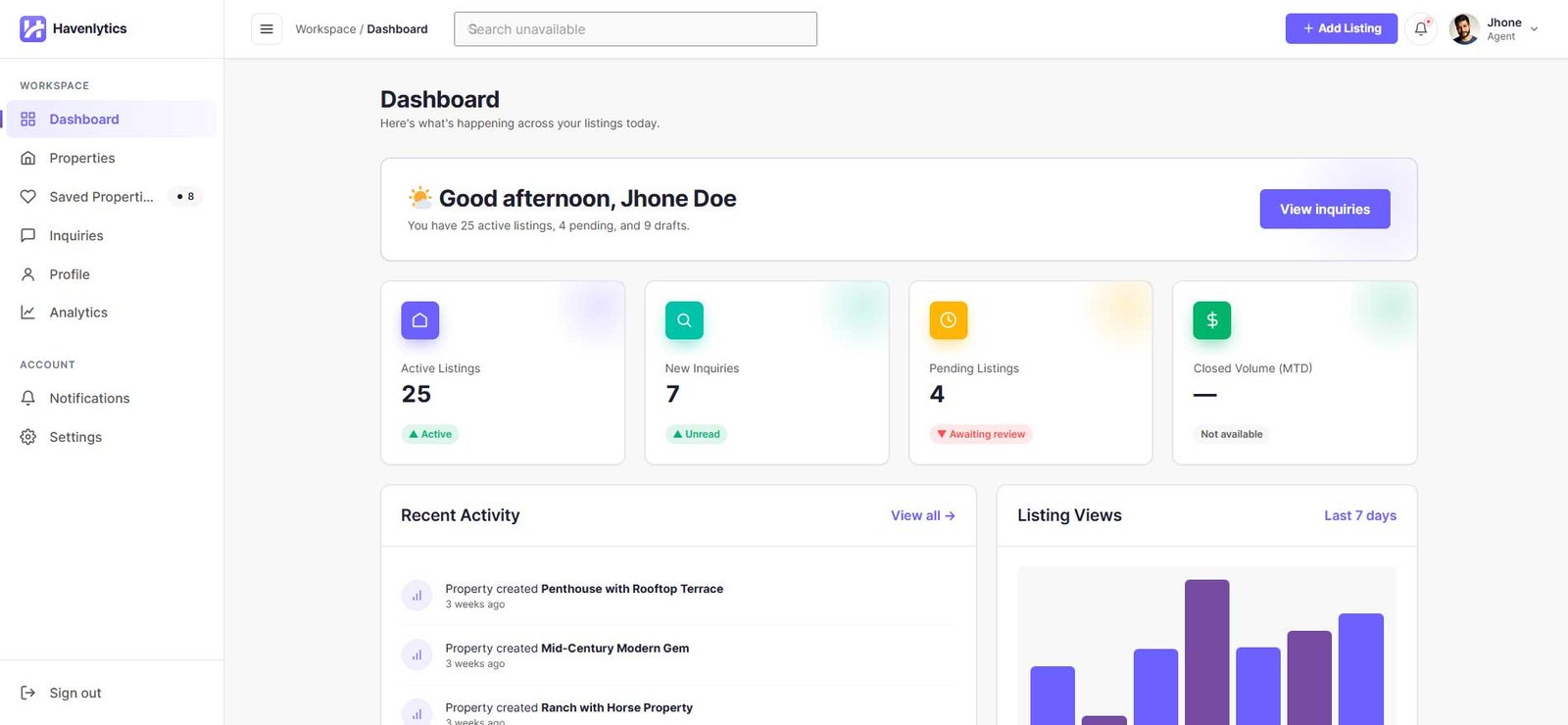
The Dashboard is the agent’s home screen. Its header reads “Here’s what’s happening across your listings today.” It shows:
- Stat tiles: Active Listings (published count), New Inquiries (unread count), and Pending Listings (awaiting review). A Closed Volume (MTD) tile is displayed but not yet populated.
- Recent Activity: up to 8 real events — listings created, submitted, published, rejected, updated, or deleted — with a “View all” link to Notifications.
- Listing Views: a bar chart of the last 7 days of property views.
- Recent properties: the 5 most recently modified listings with status, price, and views.
- Quick actions: Create Property, My Properties, My Profile, and Inquiries.
All dashboard data is scoped to the signed-in user. The API never accepts a client-supplied agent ID.
My Properties
The Properties section lists the agent’s own listings. Administrators see every listing; agents see only theirs.
Listing statuses: Draft, Pending, Published, Rejected, and Trash. A rejected listing keeps the rejection reason on record and can be revised and resubmitted.
Finding listings:
- Status filter: All active, Draft, Pending, Published, Rejected, Trash
- Free-text search
- Sort by Last updated, Date created, or Title — ascending or descending
- Date range filter (From / To)
- Pagination
Row actions (shown only when allowed for that listing): Edit, View (published listings), Preview, Duplicate, Submit, Publish, Trash, Restore, and Delete permanently.
- Duplicate creates a new draft titled “… (Copy)” owned by you, copying fields, taxonomies, and the featured image — but not the status history or rejection reason.
- Trash is reversible; Restore returns the listing to Draft.
- Delete permanently is available to administrators only.
Bulk actions: Move to Trash, Restore, Submit, and Publish.