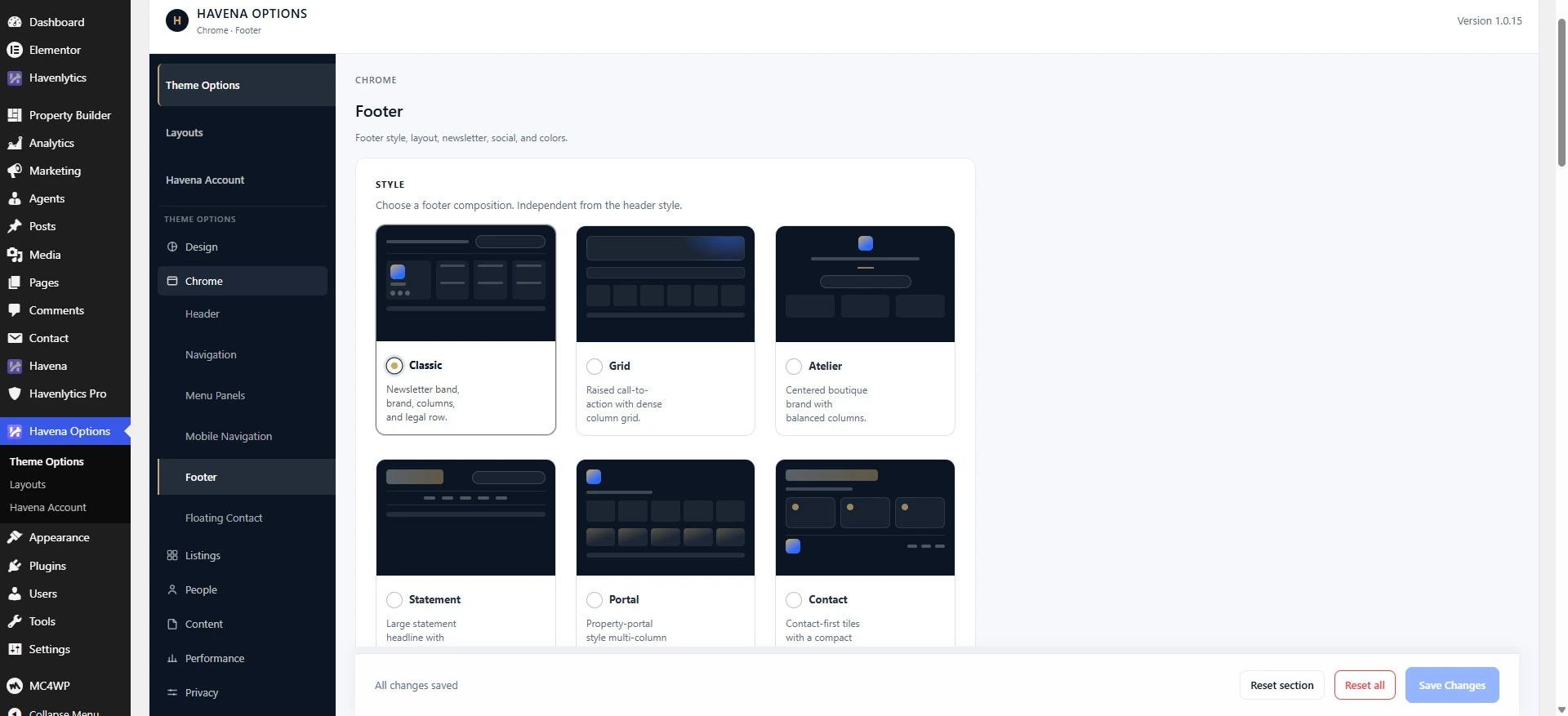
Footer style changes how the footer is composed. It does not create a second footer menu.
The six styles
- Classic — newsletter band, brand, columns, and legal row.
- Grid — raised call-to-action with a dense column grid.
- Atelier — centered boutique brand with balanced columns.
- Statement — large headline with a navigation ribbon. The ribbon uses the Primary menu.
- Portal — property-portal multi-column layout.
- Contact — contact-first tiles. Mini navigation uses the Primary menu. Legal links use the Footer menu.
Steps
- Open Havena Options → Footer (Chrome group). Do not use Appearance → Customize for this control. Havena does not put Footer style in the Customizer.
- Set Footer style to one of the six styles above.
- Optional on the same page: Footer columns, Footer Logo, Show newsletter, Show social icons, and Copyright text.
- Assign the footer menu under Appearance → Menus to the location labeled Footer. Demo import often names that menu Havena Footer.
- View the front end.
Columns for Classic, Grid, Atelier, and Portal come from the widget areas Footer Column 1 through Footer Column 5. Empty areas are skipped.
Related: Header variants.