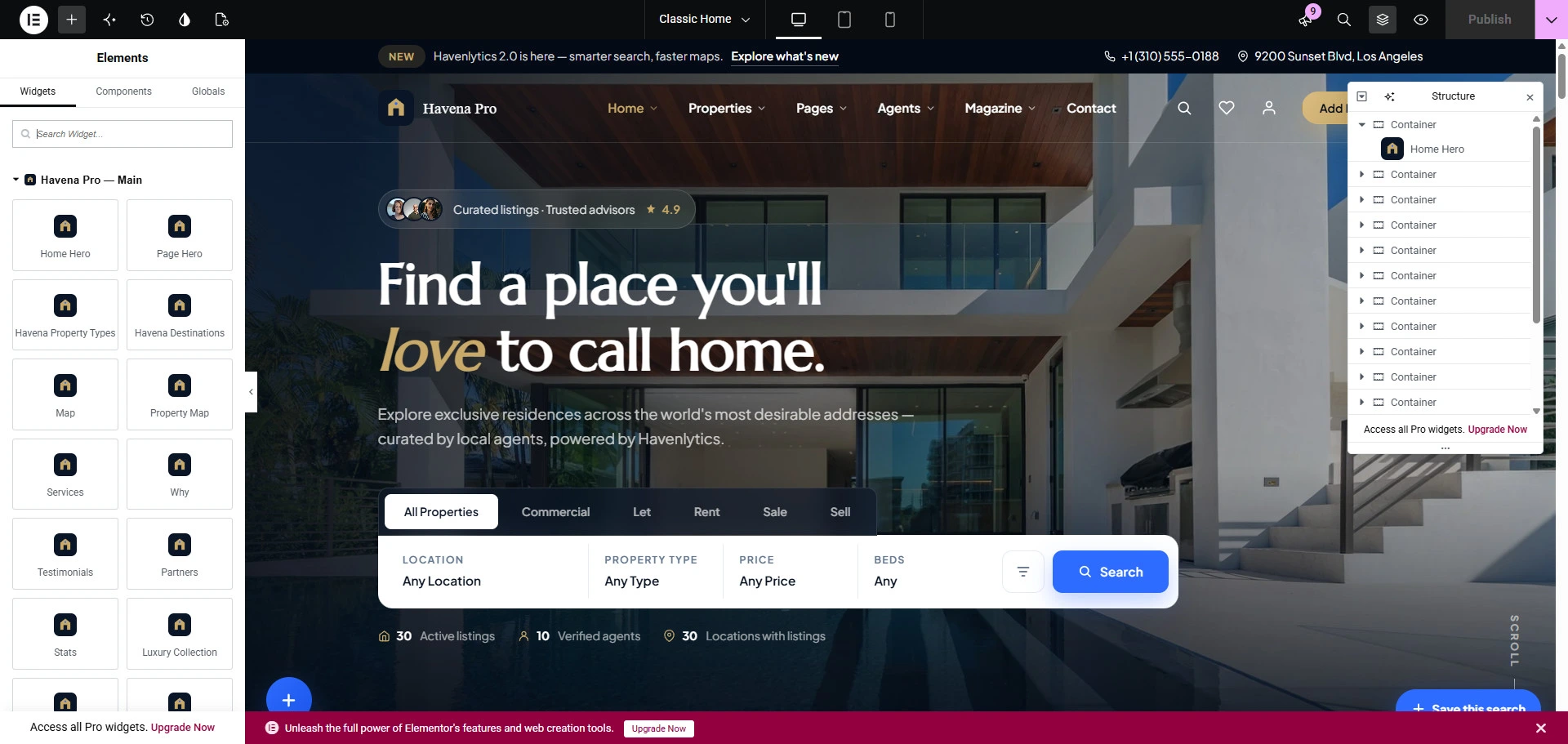
Some imported Havena designs place homepage sections in Elementor. That is not guaranteed for every site. If the front page does not open in Elementor, leave it and use the design you imported instead of assuming a widget layout.
When the homepage is an Elementor page
- Activate Havena Pro, Havena Functionality, Elementor, and Havenlytics.
- Edit the front page with Elementor.
- Insert widgets by the titles in the widget catalog. Common homepage titles include Home Hero, Havena Property Grid, Map, Services, Why, and Testimonials.
- Publish properties in Havenlytics if a property widget has nothing to show.
If a widget is missing from the panel
Widgets stay registered, but the panel can hide widgets that do not belong to the active design. Switch the website design only if you intend to change the whole look. Do not look for these widgets in the Gutenberg inserter, except havena/property-grid and havena/property-list.