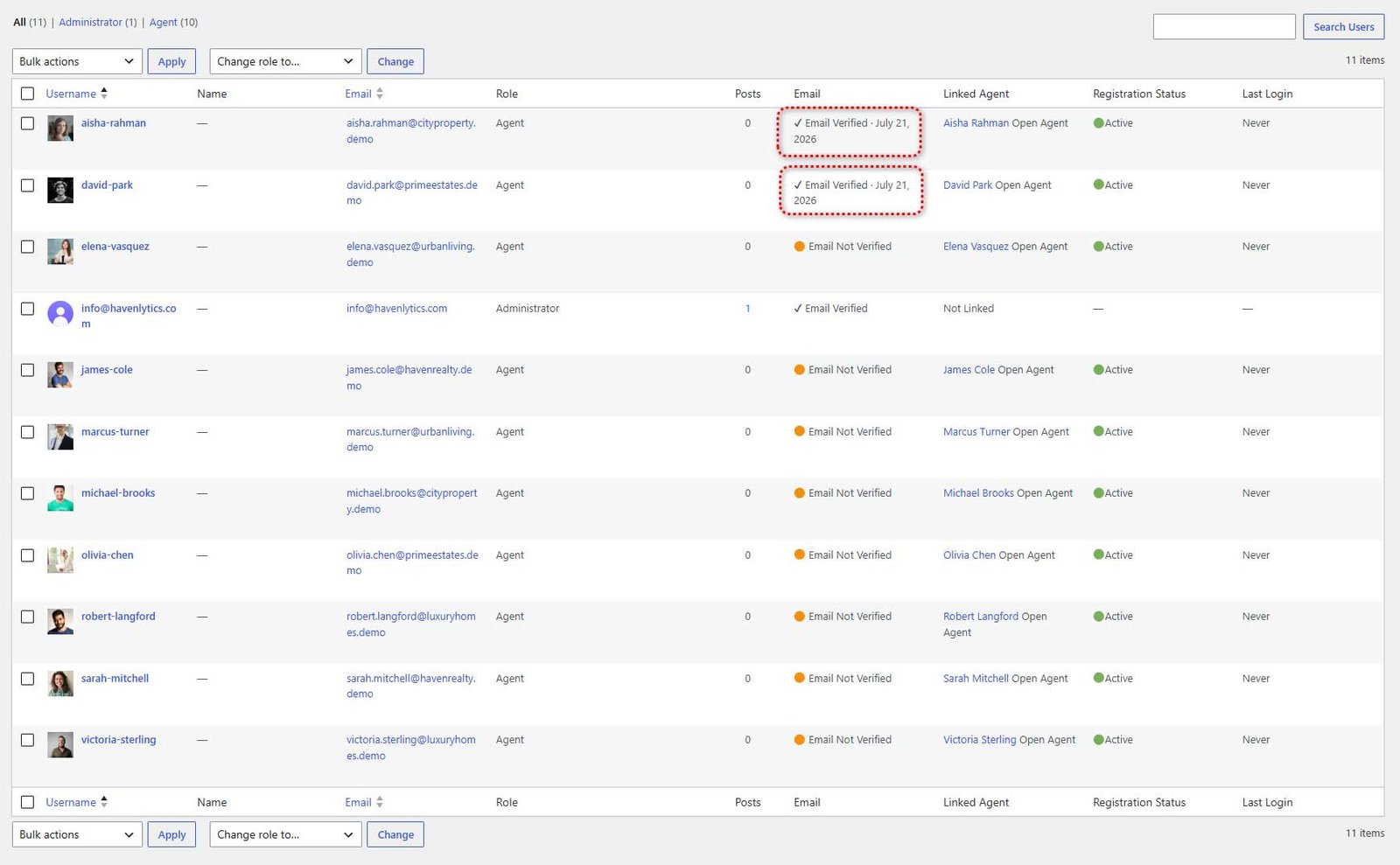
Every new agent account must verify its email address before the Agent Workspace unlocks. Workspace access requires two things: an approved/active registration status and a verified email. Administrators are exempt from both gates.
The agent flow:
- On registration, the agent receives a “Verify your email for {site name}” email with a Verify my email button.
- The link is single-use and expires after 24 hours by default.
- Clicking the link verifies the account and opens the dashboard. A “Your email has been verified” confirmation email follows.
- Until verified, the agent sees a verification screen with a Resend verification email button (60-second cooldown) and a Log out button.
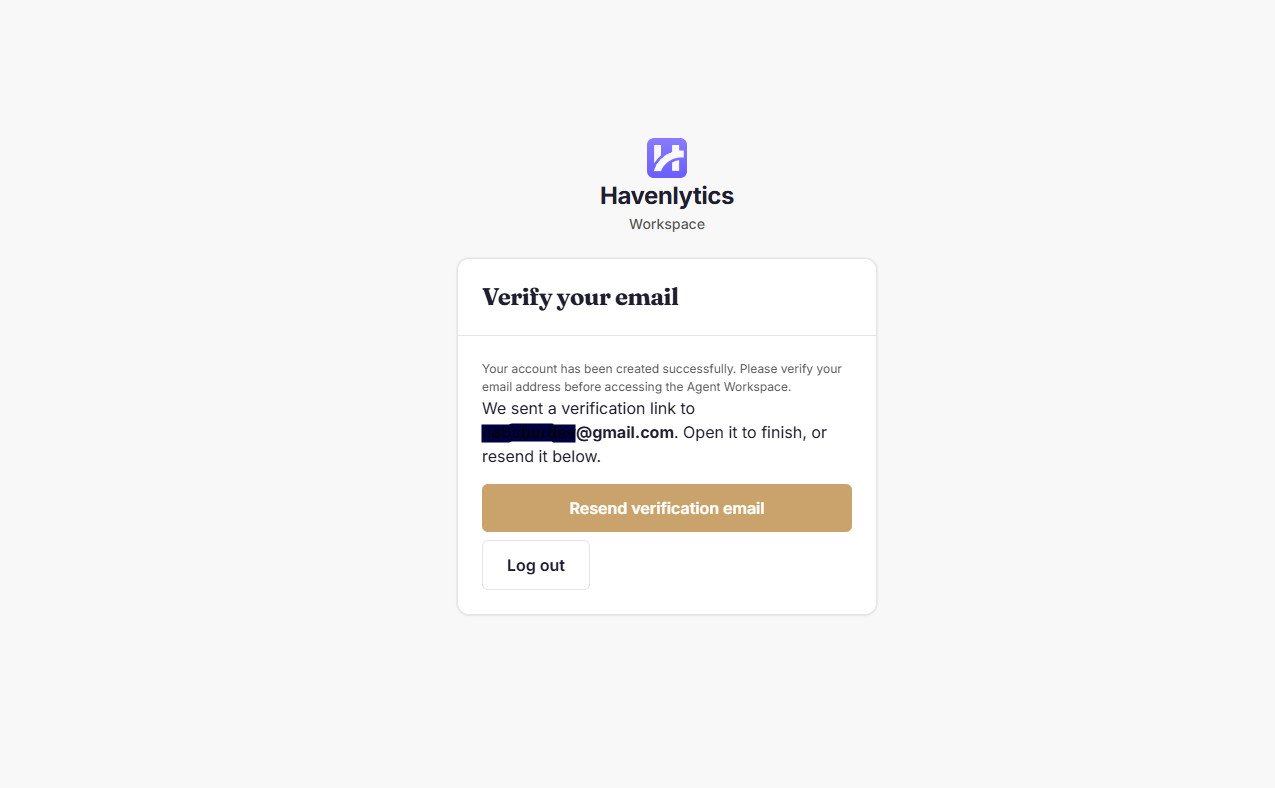
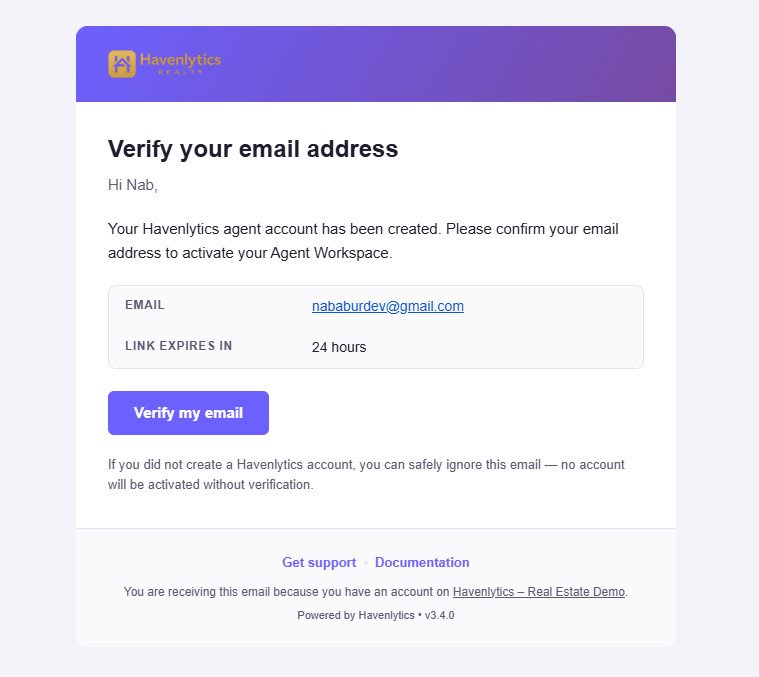
Resend limits: 1-minute cooldown per account, a maximum of 5 resends per hour and 10 per day per account, and 10 per hour per IP address. All failure responses use one generic message, so the system never reveals whether an email address has an account.
If an agent changes their email address, the account is automatically unverified, old links stop working, and a fresh verification email goes to the new address. Access is withheld until the new address is verified.
For administrators:
- A badge shows verification state — Email Verified (with the verification date) or Email Not Verified — in two places: the WordPress Users list (Email column) and the Havenlytics Agents list.
- In the Users list, administrators get row actions to Mark verified (manual verification) or Resend the verification email.
- Every verification event is audit-logged (tokens and plaintext emails are never logged, and nothing is written to the database).
- Emergency off-switch: set the option
hvnly_email_verification_disabledto1to disable enforcement site-wide.
Legacy accounts: agent accounts that existed before email verification shipped are grandfathered in automatically — no existing agent is ever locked out by an upgrade.