Introduction
Agent Workspace is the frontend property management area included in Havenlytics, the WordPress real estate plugin. It gives real estate agents their own dashboard on the public side of your website, so they can manage listings, respond to inquiries, and maintain their profile without ever opening the WordPress admin.
This guide explains what the Agent Workspace does, how to enable it, and how every section works. It is written for site owners and agents who have never used Havenlytics before.
What is Agent Workspace?
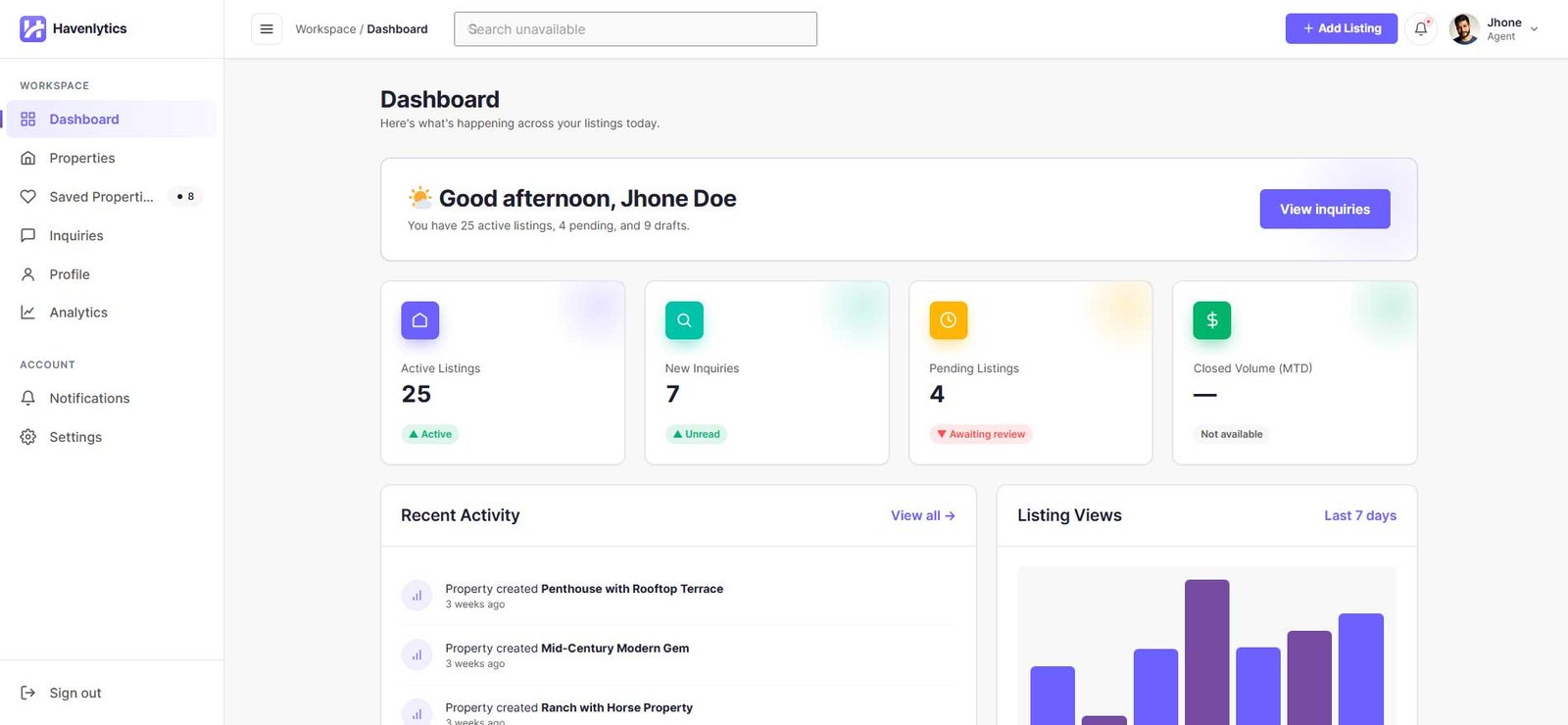
Agent Workspace is a single-page application that runs on a regular page of your WordPress site. When you enable it, Havenlytics creates a page called Agent Dashboard (slug agent-dashboard) containing the [hvnly_agent_dashboard] shortcode. Agents sign in on that page and get access to a complete WordPress agent dashboard:
- A Dashboard with listing stats, recent activity, and a 7-day views chart
- Properties — create, edit, and submit listings for review from the frontend
- Saved Properties — listings the user has favorited
- Inquiries — an inbox for messages sent from property pages
- Profile — public agent profile, photo, contact details, and social links
- Analytics — author-scoped listing and views metrics
- Notifications and Settings under the Account group
Everything runs through the plugin’s REST API (hvnly/v1), and every request is scoped to the signed-in user on the server. Agents only ever see and manage their own data.
Benefits
- No wp-admin access needed. Agents work entirely on the frontend. Frontend property management keeps your WordPress admin private.
- Controlled publishing. By default, agent submissions go to a review queue. You decide whether agents can publish directly.
- Built-in identity verification. New agents must verify their email address before the workspace unlocks.
- Optional guest mode. Visitors can preview the workspace in a temporary, read-only session — no account created.
- Fine-grained permissions. Ten permission toggles control exactly what agents can do.
- Transactional emails. Registration, approval, property, and inquiry emails are built in and individually toggleable.
Requirements
| Requirement | Value |
|---|---|
| WordPress | 6.0 or higher |
| PHP | 7.4 or higher |
| Havenlytics | 3.4.0 (the version this guide documents) |
| Permalinks | Pretty permalinks recommended (see note) |
Note: Pretty permalinks are not strictly required. With plain permalinks the workspace falls back to hash-based routing (#/dashboard) so deep links never break. With pretty permalinks you get clean URLs such as /agent-dashboard/properties.
Getting Started
- Install and activate Havenlytics.
- Enable the Agent Workspace (next section).
- Choose a registration mode — open registration or admin approval.
- Review the default agent permissions.
- Share the Agent Dashboard page URL with your agents.