Navigate to:
Havenlytics → Types
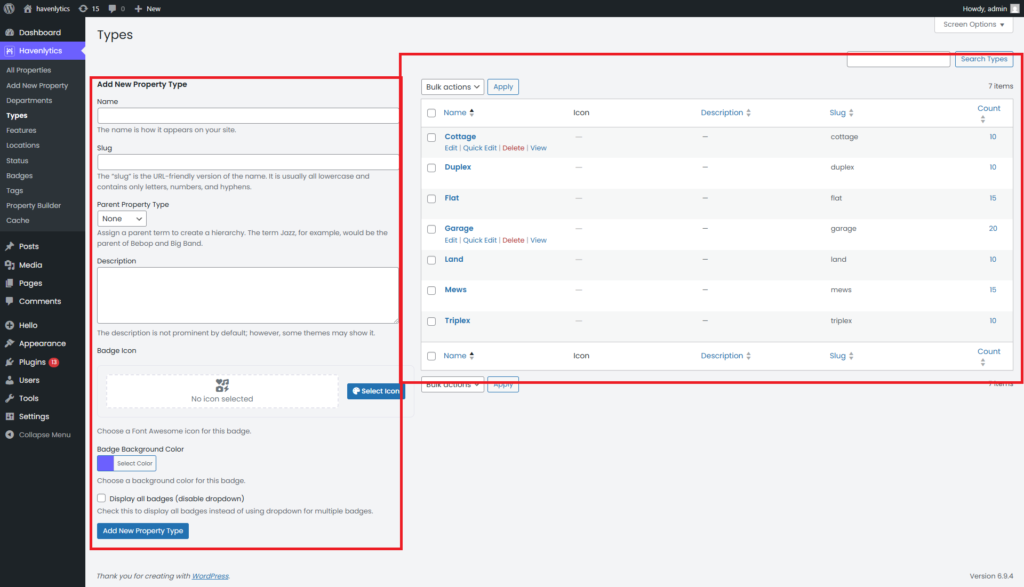
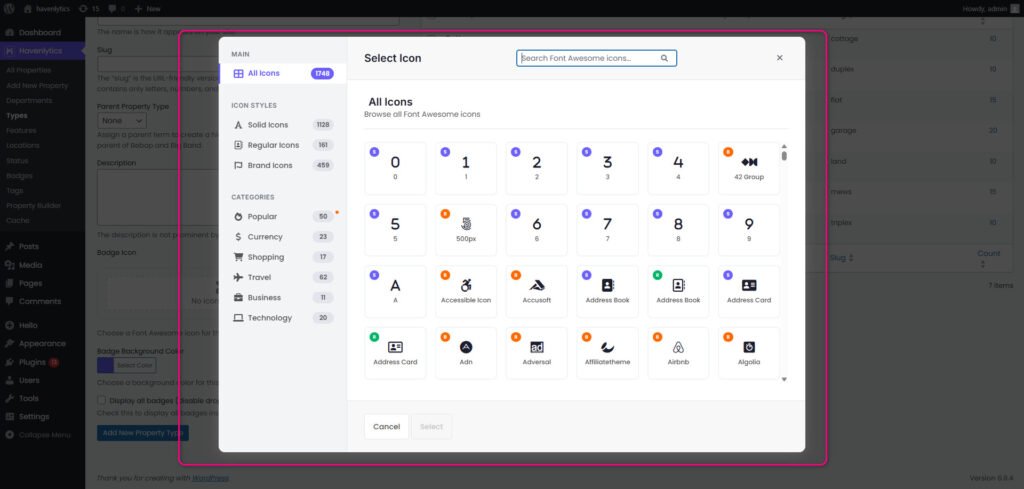
Set property types icons.
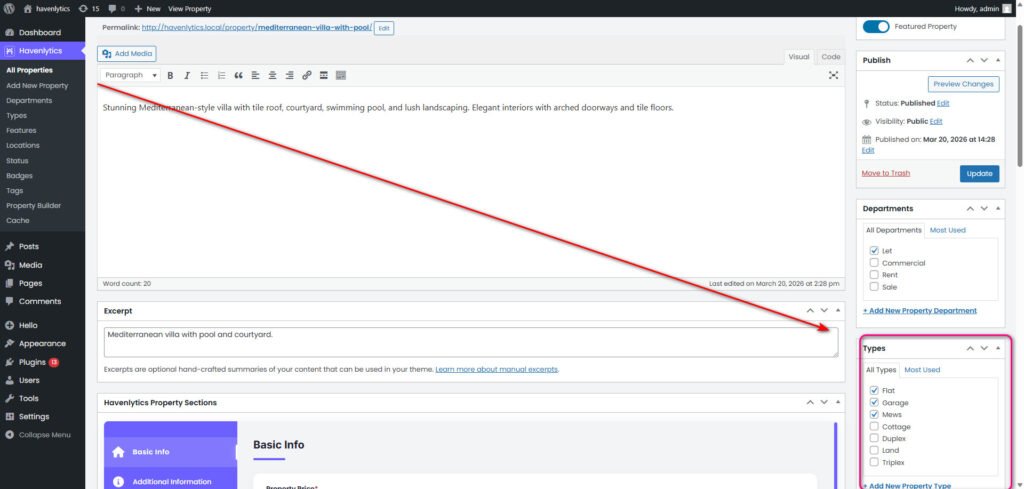
Add a new property type in the backend.
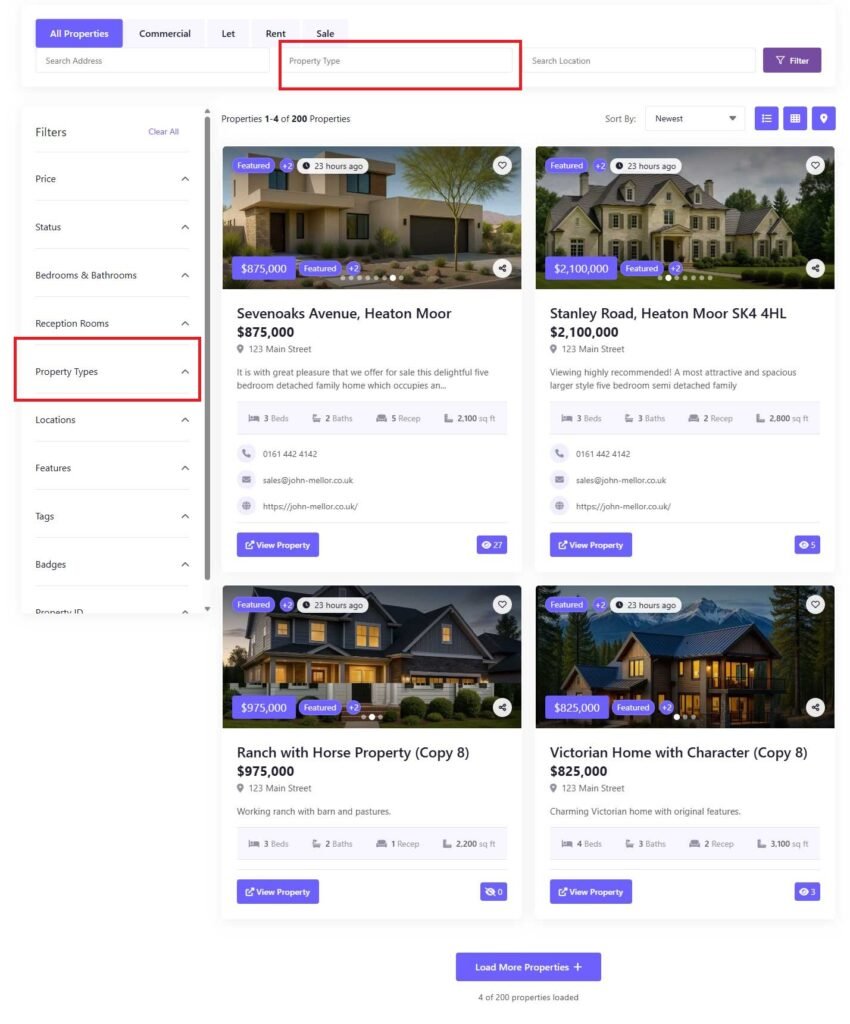
Published Property Types on the frontend will look like this:
Property Listings Management
Navigate to:
Havenlytics → Types
Set property types icons.
Add a new property type in the backend.
Published Property Types on the frontend will look like this:
Was this article helpful?