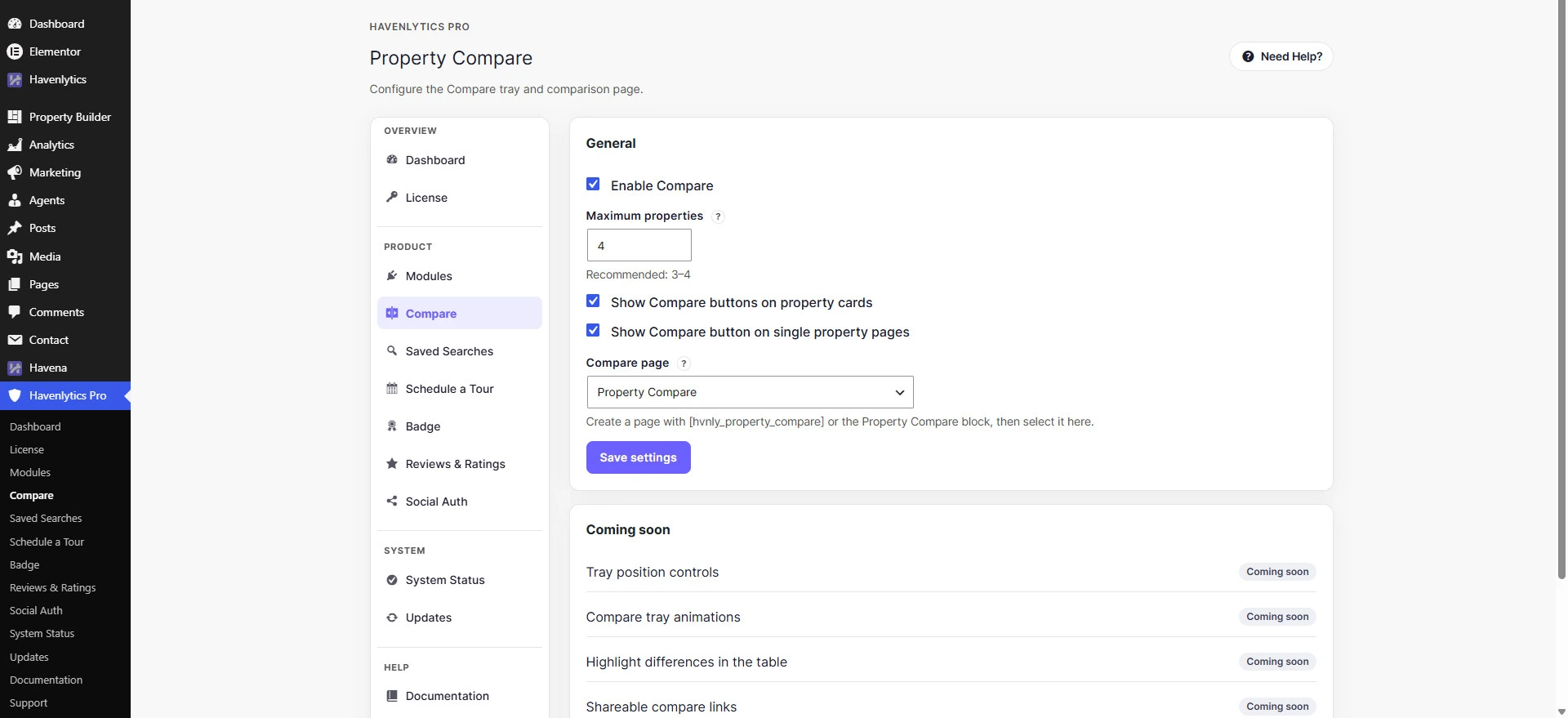
Property Compare adds a tray and a comparison table. Defaults: enabled, maximum 4, buttons on cards and single pages.
Steps
- Open the Compare settings screen in Havenlytics Pro.
- Turn on Enable Compare.
- Set Maximum properties to compare. The help text recommends 3–4.
- Choose whether to show buttons on property cards and on single property pages.
- Create a WordPress page that contains
[hvnly_property_compare]or the Property Compare block. Select that page as Compare page. - Save settings.
Verify
Open two published properties, add each to compare, and open the compare page. You should see both listings. Guests use the storage key hvnly_guest_compare; logged-in users use user meta hvnly_compare_ids.
Not available
The settings screen includes a Coming soon card. Do not document highlight-differences as a live control.
Related: Property Compare overview.