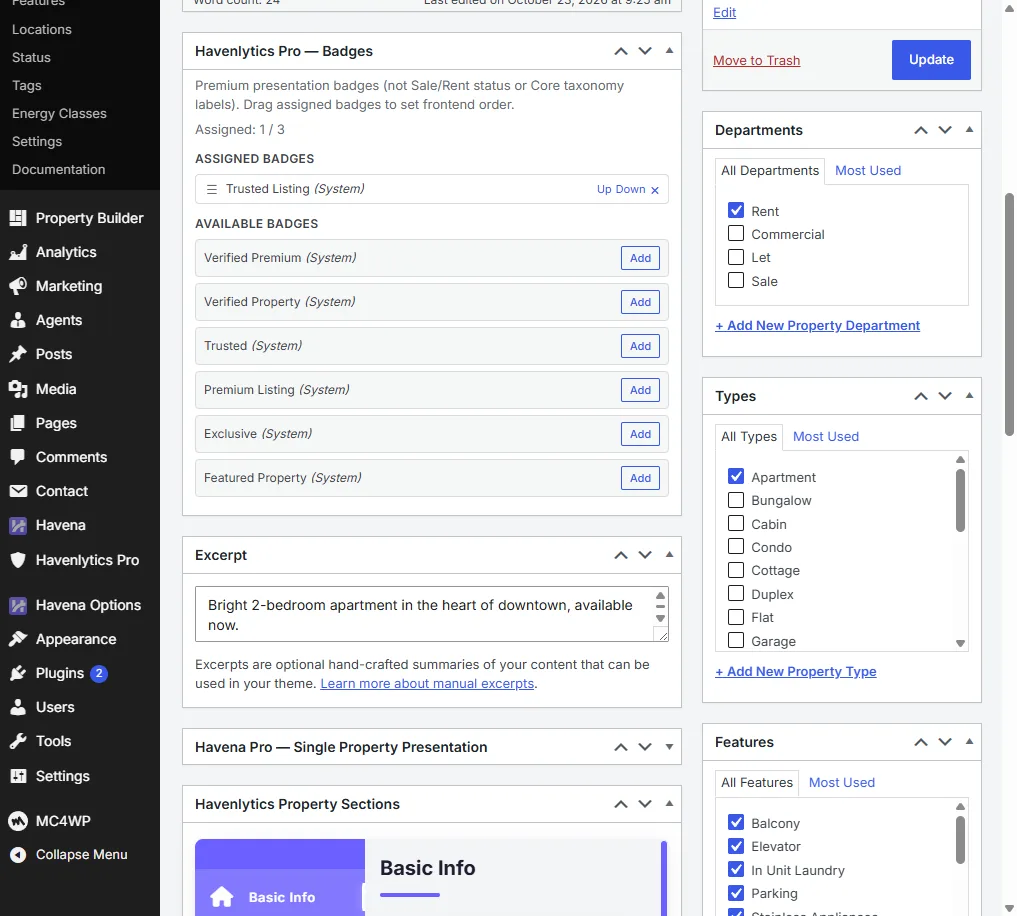
Badges are labels on properties and agents. They do not replace listing fields.
Steps
- Open Havenlytics Pro → Badge and turn on Enable Badge.
- Create or edit badges in the library on that screen.
- Edit a property. In the side box Havenlytics Pro — Badges, assign the badges that should show for that listing.
- Edit an agent the same way. The agent edit screen has the same box title.
- View the property card and the single page.
If the box is missing
The box is registered only when Badge is enabled and assignment is allowed. Turn on Enable Badge, then reload the editor. A header style change does not add the box.
The Badge screen can still let you manage the library when the front end is waiting on a license. Confirm Havenlytics Pro → License before you judge the public site.
Related: Badge overview.