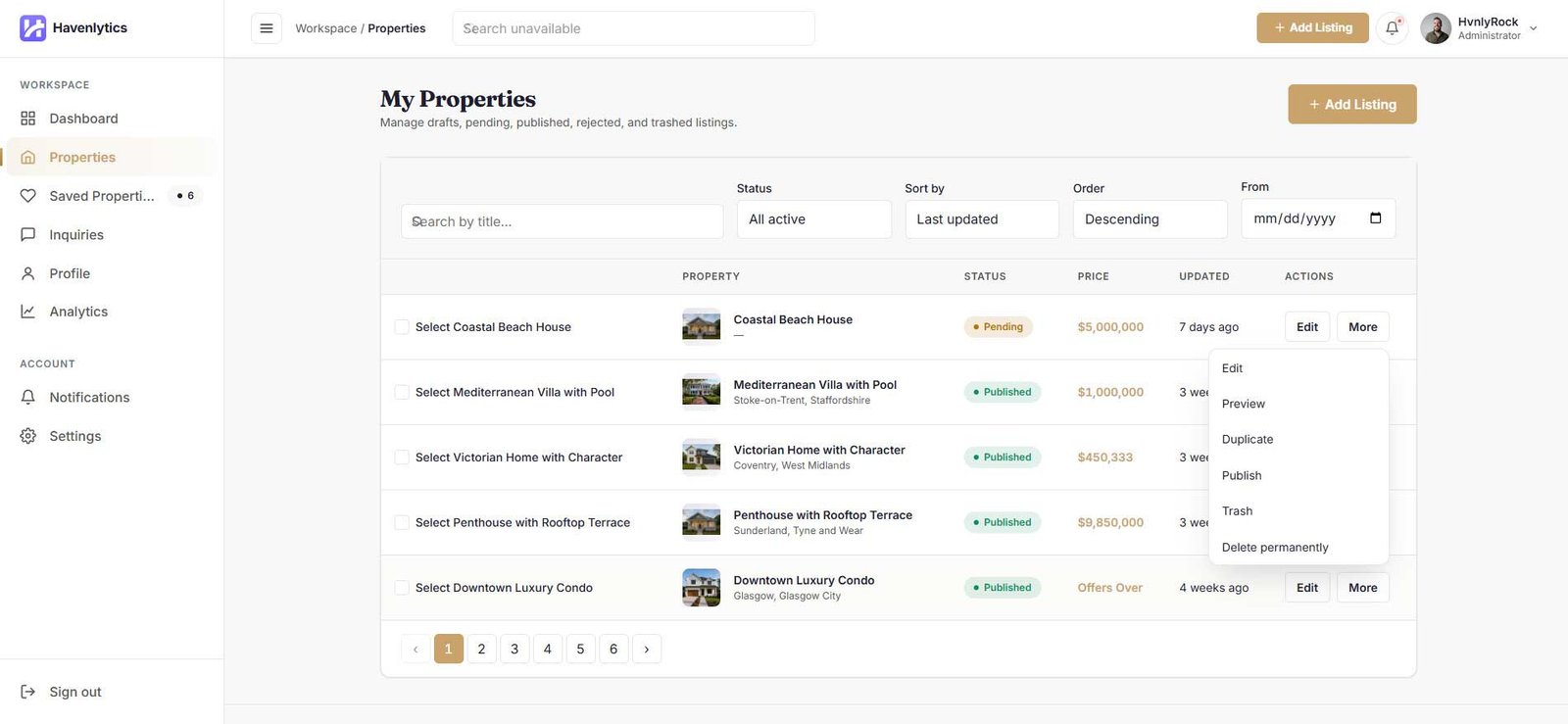
Since Havenlytics 3.4.0, administrators use the Agent Workspace directly instead of being redirected to wp-admin. Signing in through the workspace login takes an administrator to the workspace dashboard, with the WordPress admin toolbar visible as the route back to wp-admin. Agents never see the toolbar.
What administrators can do that agents cannot:
- See every listing in the Properties section, not just their own
- Publish listings directly, bypassing the review queue
- Bypass the registration-status and email-verification gates
- Permanently delete listings
Administrators approve or reject agent submissions from the WordPress admin, on the Properties list:
- Row actions Approve Listing / Reject Listing on pending listings
- Bulk actions Approve Listings / Reject Listings
- A pending-review count badge on the Properties admin menu
Agent accounts are managed from the Agents admin screen: row actions and bulk actions (Approve, Activate, Suspend, Block, Archive, Restore) and an Agent Lifecycle panel on each agent’s edit screen. Restoring an archived agent is administrator-only. There is also a diagnostic page at Tools → Havenlytics Health that scans agent identity data, shows a health score, and offers deterministic one-click repairs.
Restoring the old behavior: to send administrators back to wp-admin as in earlier versions, add add_filter( 'hvnly_workspace_redirect_admins_to_wpadmin', '__return_true' );.
Role-based Permissions
Havenlytics registers one WordPress role for the workspace: Agent (hvnly_agent). It carries only workspace capabilities — reading, uploading files, accessing the portal, managing its own profile, creating and editing its own listings, submitting listings, and viewing/replying to its own inquiries. Agents cannot approve listings, edit published listings they don’t control through the workflow, or see other agents’ inquiries.
On the Permissions sub-tab, the Default Agent Permissions card fine-tunes what agents can do. Administrators always retain full access.
| Permission | Default |
|---|---|
| Can Create Property | On |
| Can Edit Own Property | On |
| Can Delete Own Property | On |
| Can Submit Property | On |
| Can Publish Property | Off — agents submit for review instead |
| Can Upload Media | On |
| Can Edit Profile | On |
| Can View Dashboard | On |
| Can Receive Inquiries | On |
| Can Reply To Inquiries | On |
Agent account lifecycle is tracked separately from the role, with the statuses Pending Activation, Approved, Active, Suspended, Blocked, and Archived. Only Approved and Active accounts can enter the workspace; the login screen explains the state to everyone else (for example, “Your account is awaiting approval.”).
Security
The Agent Workspace is built around server-side enforcement:
- Identity is resolved on the server. No workspace endpoint accepts a client-supplied user or agent ID.
- CSRF protection everywhere. Every authentication action, REST call, and admin lifecycle action is nonce-protected.
- Standard WordPress sessions. Agent login uses
wp_signon()and core auth cookies — no custom credential store. Password resets use WordPress core reset keys. - Rate limiting on sensitive endpoints: email verification attempts (20 per IP per 10 minutes; 10 per token per hour), verification resends (per-account and per-IP limits), and guest sessions (10 per IP per 10 minutes).
- No account enumeration. Verification failures and resend requests always return the same generic message.
- Guest isolation. Guests are never WordPress users; their session is an HttpOnly, SameSite=Lax cookie backed by a server-side record, signed with an HMAC and compared in constant time.
- Verification tokens are hashed. Only an HMAC of the verifier is stored; raw tokens are never persisted or logged. Audit entries never contain tokens or plaintext email addresses.
- Kill switches.
HVNLY_WORKSPACE_ENABLEDandHVNLY_WORKSPACE_GUEST_ENABLEDconstants can force features off fromwp-config.php. - Media validation. Uploads are restricted by MIME type and a 5 MB limit; SVG avatars are rejected.
Best Practices
- Start with Admin Approval if you don’t personally know every agent who will register. Switch to Open Registration for invite-only teams.
- Leave Can Publish Property off unless you fully trust your agents. The review queue is your quality gate.
- Enable pretty permalinks for clean workspace URLs.
- Keep the transactional emails on. Agents rely on the approval, property, and inquiry emails to know what is happening.
- Watch the pending badges. Both property reviews and taxonomy requests surface pending counts on the Properties admin menu.
- Use Suspend, not Block, for temporary holds. Suspended agents keep their session context and can be reactivated in one click.
- Run the Havenlytics Health scan (Tools → Havenlytics Health) after major upgrades or migrations to check agent identity integrity.
Frequently Asked Questions
Where is the Agent Workspace after I enable it?
On the automatically created Agent Dashboard page (/agent-dashboard/). You can change the slug with the Workspace Page setting, or place the [hvnly_agent_dashboard] shortcode on any page.
Do agents need wp-admin access?
No. Everything — listings, media, profile, inquiries, password changes — happens on the frontend.
Why can’t a new agent sign in?
Two gates must pass: the account’s lifecycle status must be Approved or Active (check the Agents admin screen if you use Admin Approval mode), and the email address must be verified. The login and verification screens tell the agent which gate is blocking them.
Can agents publish listings without review?
Only if you enable Can Publish Property on the Permissions sub-tab. It is off by default, so submissions go to the Pending queue for admin approval.
What happens to properties a visitor saved before creating an account?
Guest favorites are stored in the browser and merge into the account automatically the first time the user signs in.
Can agents add new property types or locations?
Not directly. They submit a Taxonomy Request from the property form, and an administrator approves, rejects, or merges it.
Is Guest Login safe to enable?
Guest mode is strictly read-only. Guests are never WordPress users, see only published content, and their session expires automatically (30 minutes by default).
Does disabling the workspace break saved properties on the site?
No. The heart buttons on listings keep working; only the Saved Properties page inside the workspace becomes unavailable.