Step-by-step: “Add Property Form“
- From the Havenlytics → Property Builder .
- Click on “Property Card Layout”
- Click the “Reset” button.
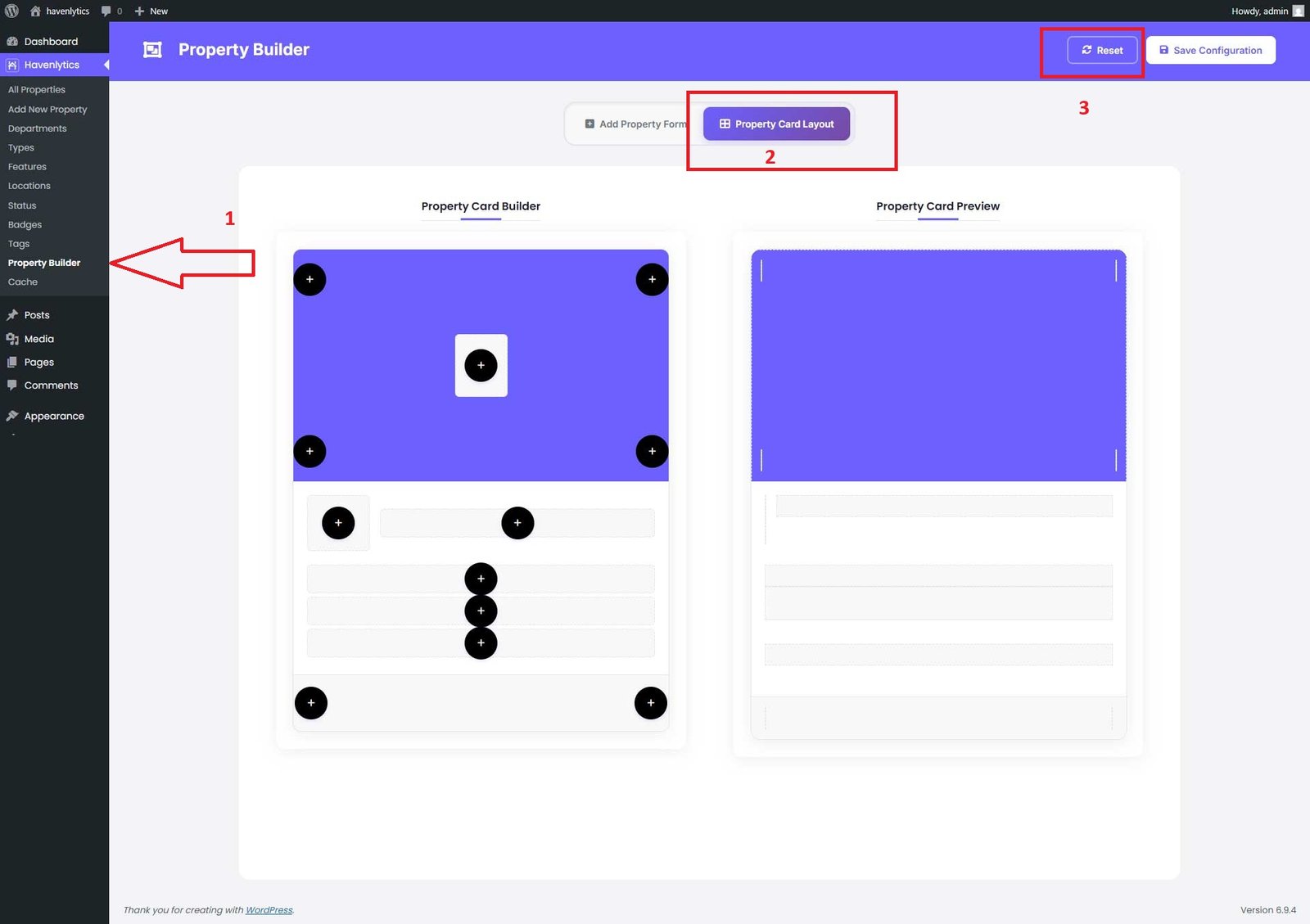
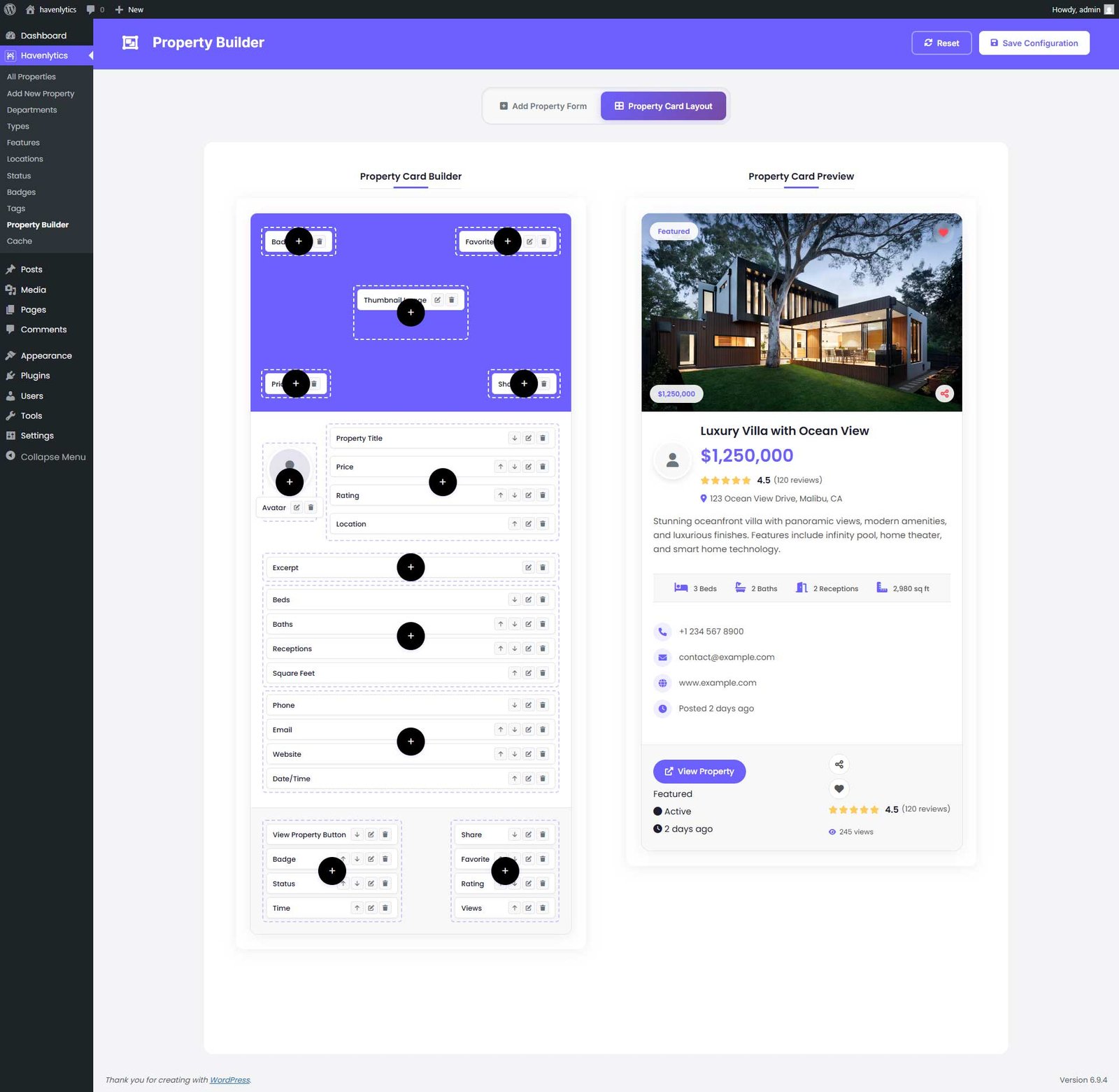
Once you click Reset, the card layout fields are automatically created. You can add, edit, or delete fields—including dummy fields like Phone, Price, Title, Badge, Status, and Time. Your changes will appear directly on the frontend property cards.
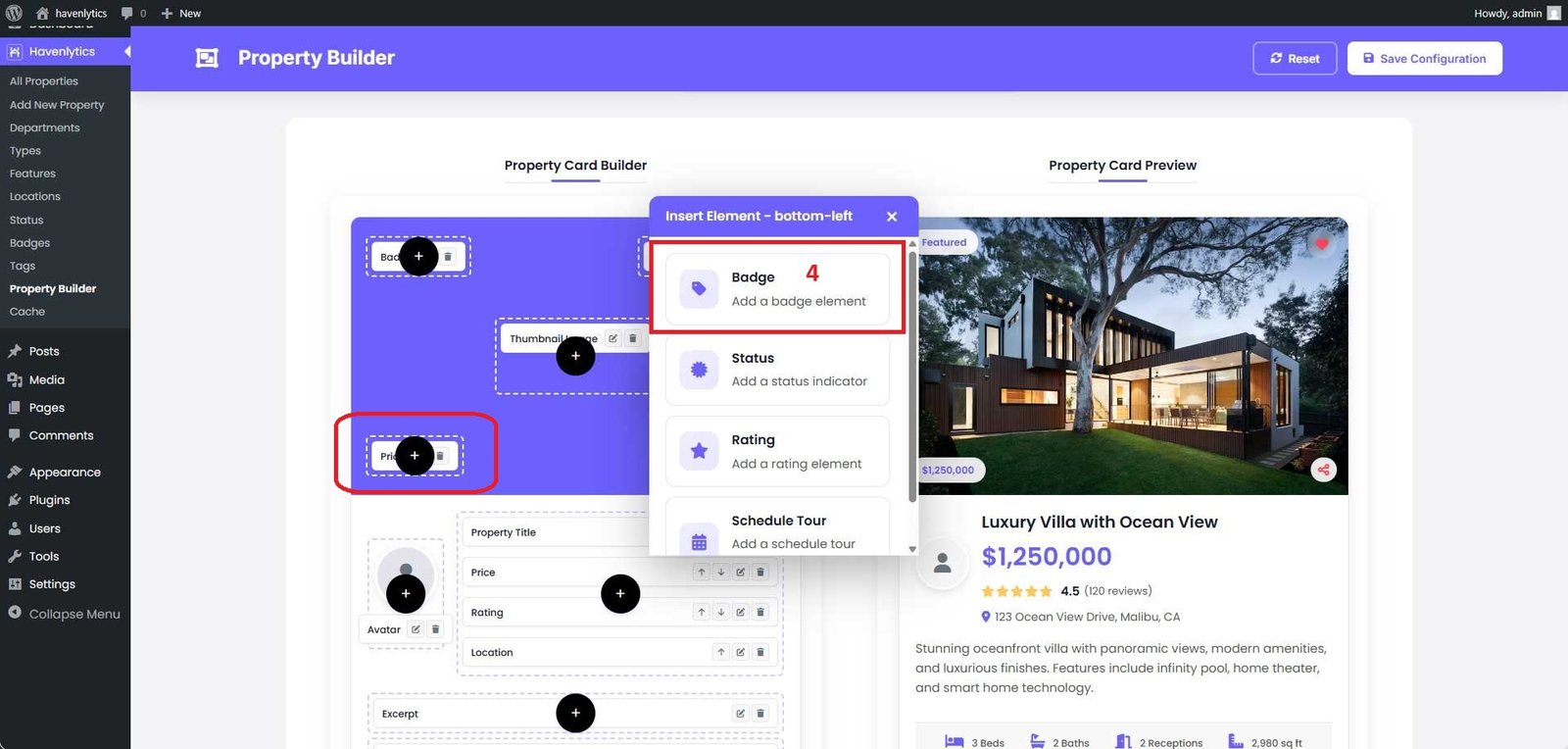
Let’s add a “Badge” field. Click the circle plus (+) icon, and a popup modal will appear with a list of default field names, including Badge, Status, Rating, and Schedule Tour.
Select the “Badge” field, and you will see a live preview of the badge design appear on the right side.
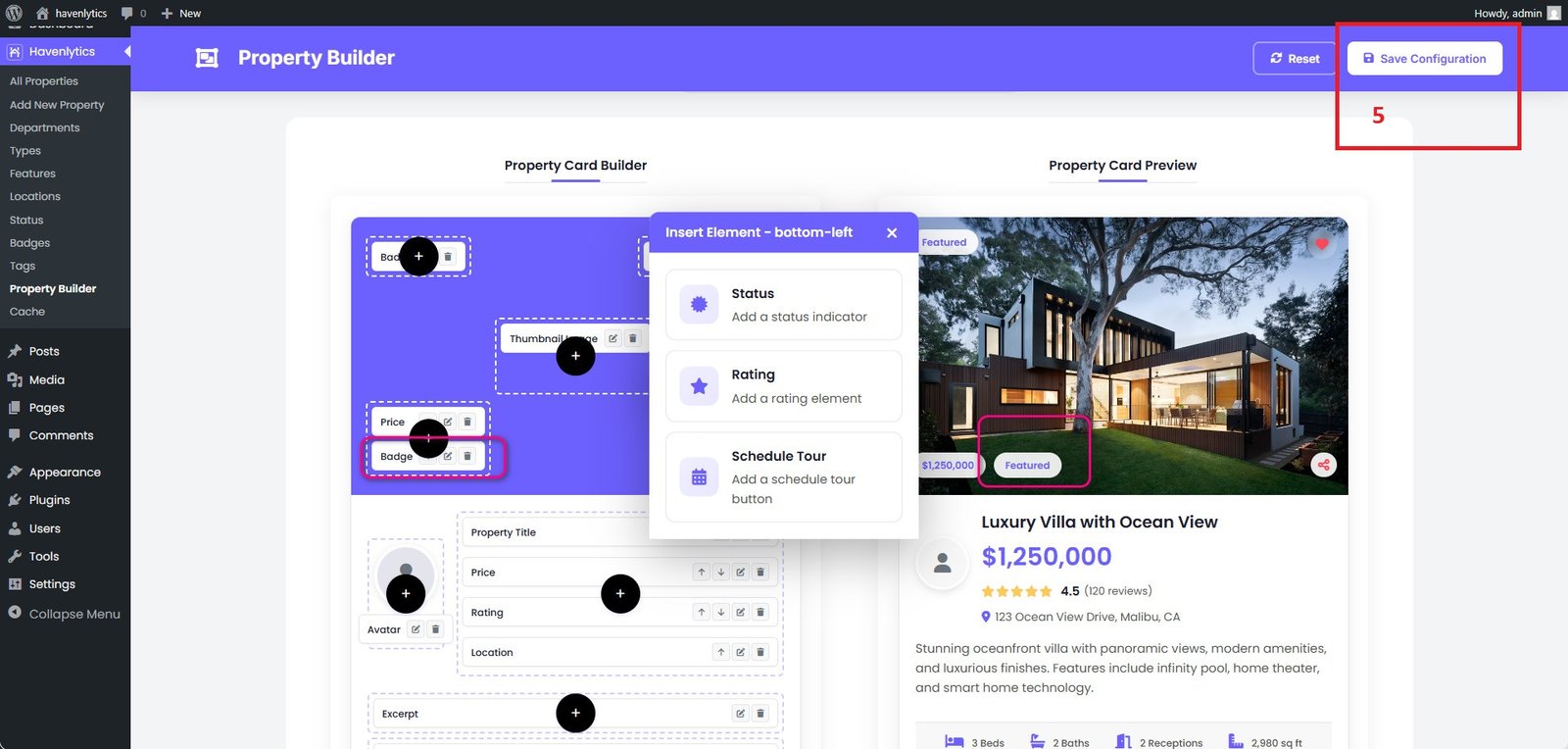
As the final step, click “Save Configuration” to apply your updates.