
System Requirements
Before installing Havenlytics, make sure your website meets the following requirements for optimal performance:
| WordPress | 6.0+ (latest stable recommended) |
| Web Server | WordPress recommends Apache or Nginx as the most robust and featureful server for running WordPress, but any server that supports PHP and MySQL will do. |
| Database | MySQL version 5.7+ or MariaDB version 10.2+ |
| RAM | 256MB+ |
| PHP | Version 7.4 or greater |
| HTTPS Support | Yes (HTTP also supported) |
Havenlytics is built using modern WordPress standards, ensuring compatibility with most themes and hosting environments.
Installation Methods
You can install Havenlytics using one of the following methods:
Install via WordPress Dashboard (Recommended)
This is the easiest and fastest way to install the plugin:
- Log in to your WordPress Admin Dashboard
- Navigate to Plugins → Add New
- In the Search bar, type “Havenlytics” and hit the Install Now button.
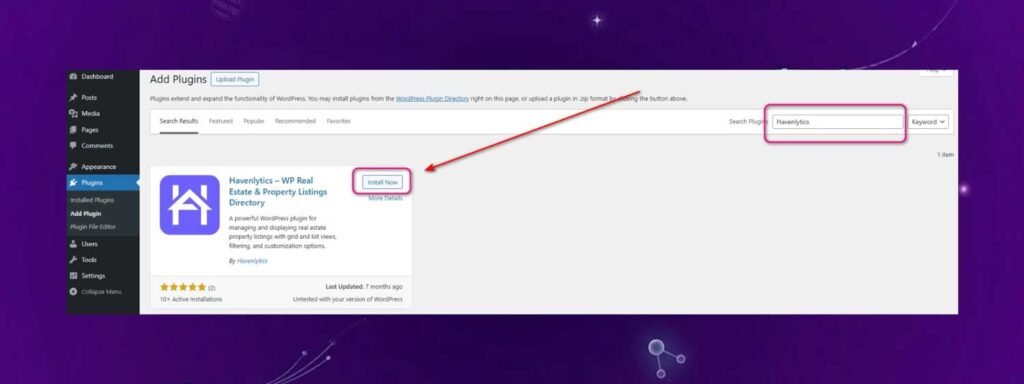
Once installed, click Activate to enable the plugin.
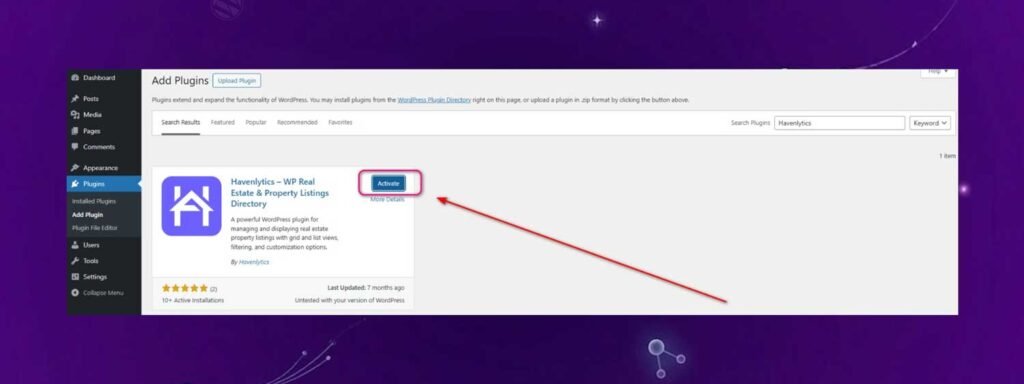
Once activated, Havenlytics will automatically initialize required settings and pages.
Manually Install via ZIP File
You can also install the plugin using the downloadable ZIP file. You can download it from WordPress.org .
- Click on Upload Plugin
- Upload the Havenlytics
.zipfile - Click Install Now
- At the top, next to the “Add Plugins” heading, click the “Upload Plugin” button.
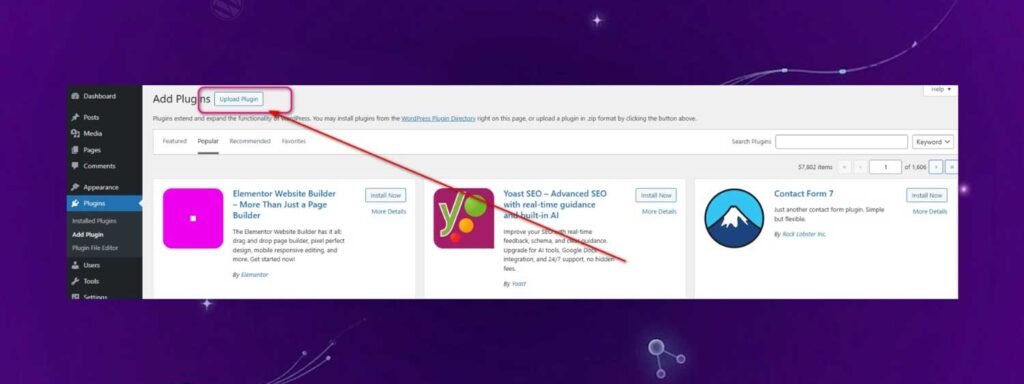
Now you’ll see an upload form. Click “Choose File” to select the Havenlytics ZIP file from your computer, or simply drag and drop the file into the upload area. Then click “Install Now”.
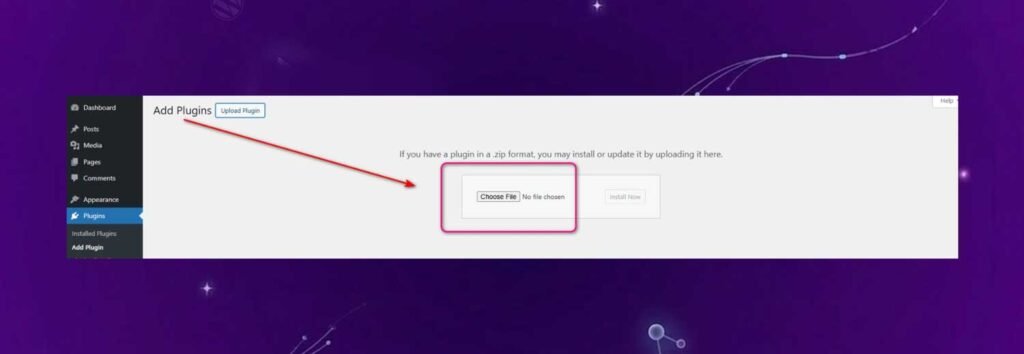
- After successful installation, you need to activate the plugin. This will complete your installation process.
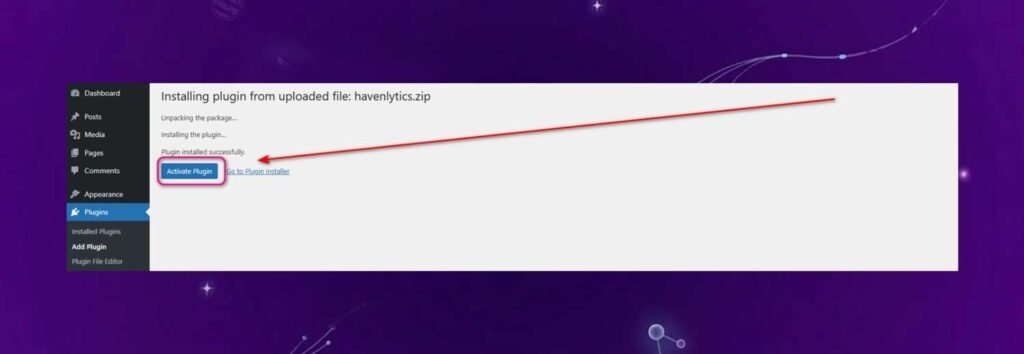
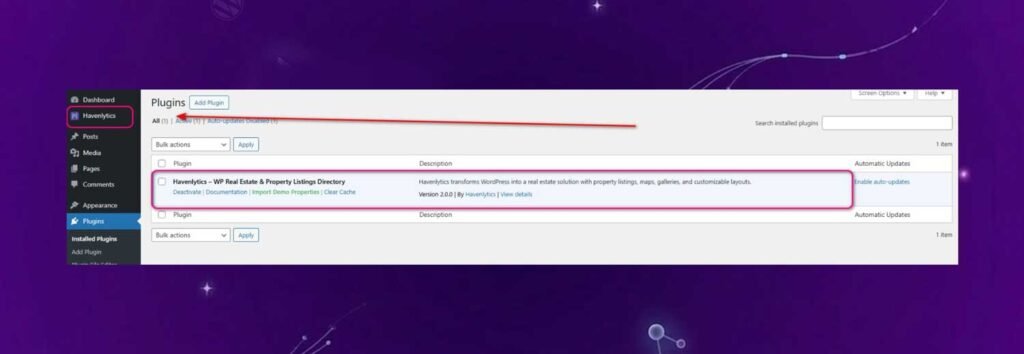
- After activation, a new menu labeled Havenlytics will appear in your WordPress admin sidebar, giving you access to all plugin settings.
Plugin Activation & Setup
After activating the plugin:
- Havenlytics will automatically create essential pages (property search, grid, and listings).
- Default builder layouts will be initialized.
- You will be redirected to the setup or builder dashboard for quick configuration.