
Havenlytics provides a flexible template system that allows you to customize frontend layouts safely without editing core plugin files.
All templates are located inside:
wp-content/plugins/havenlytics/templates/
Available Template Folders
Inside the templates directory, you will find different folders for specific features:
templates/ajax/– AJAX-related templatestemplates/archive/– Property grid & list layoutstemplates/global/– Shared global elementstemplates/map/– Map display templatestemplates/partials/– Reusable UI partstemplates/search/– Search & filter layoutstemplates/shortcode/– Shortcode-based templatestemplates/single-property/– Single property page layouts
Step-by-Step Example (Override beds.php)
Let’s override a real template file:archive/fields/beds.php
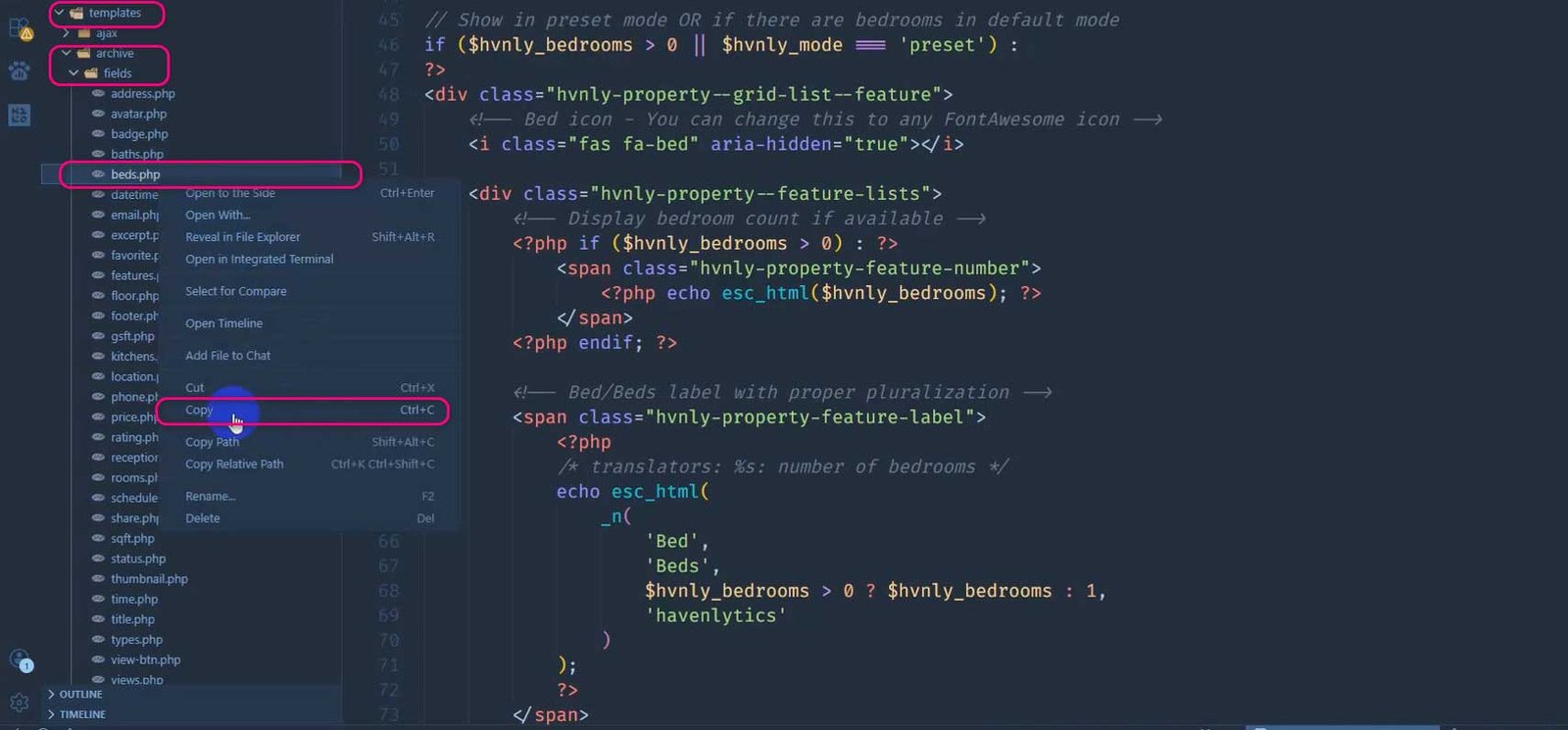
Step 1: Copy Template File from Plugin
Navigate to:
wp-content/plugins/havenlytics/templates/archive/fields/beds.php
Copy the beds.php file to your computer.
Copying beds.php from plugin templates
Step 2: Create Havenlytics Folder in Theme
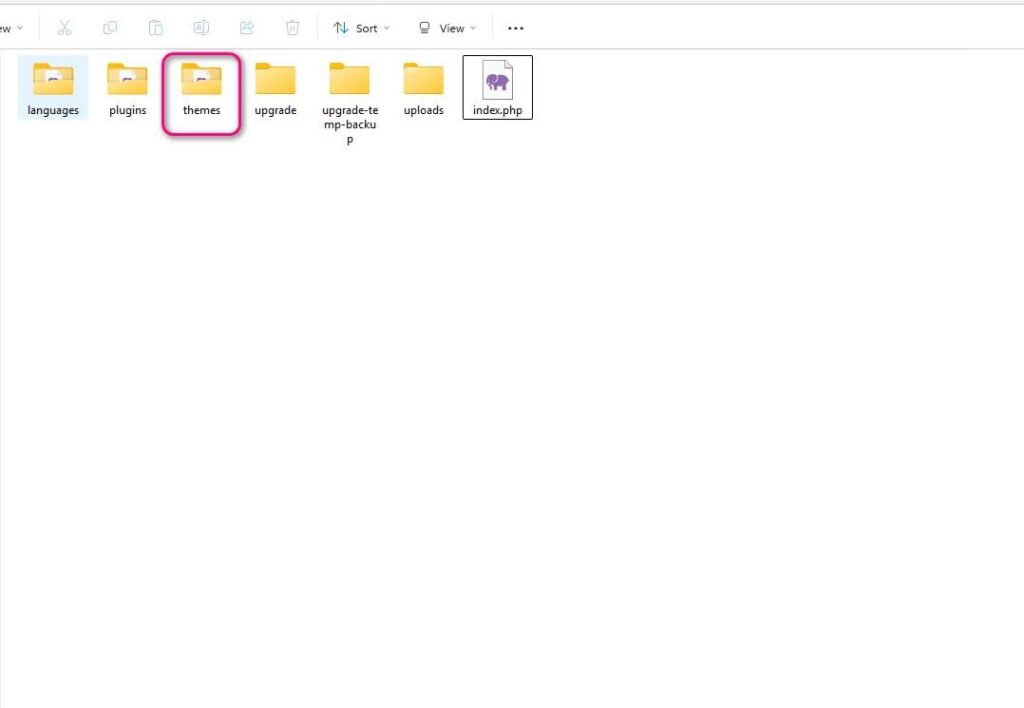
Go to your active theme:
wp-content/themes/yourtheme/
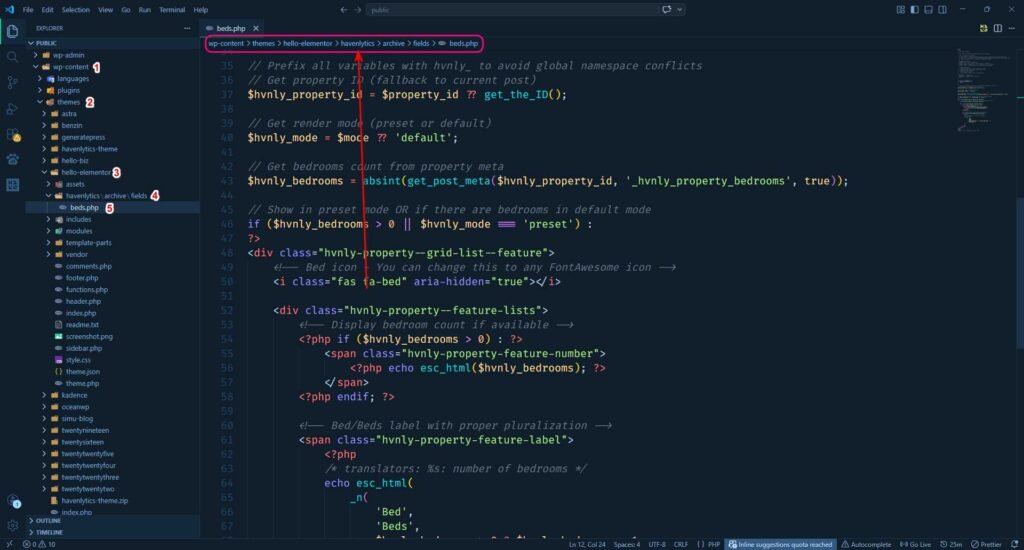
Create the following folder structure:
havenlytics/archive/fields/
This step is very important — folder structure must match exactly.
Theme folder with havenlytics directory
Step 3: Paste & Customize Template
Paste the copied file here:
wp-content/themes/yourtheme/havenlytics/archive/fields/beds.php
Now you can edit this file safely and customize how bedroom information is displayed on property cards.
Overridden beds.php in theme with custom changes
What You Can Customize in beds.php
- Change label text (e.g., “Beds” → “Bedrooms”)
- Modify icons or layout
- Adjust HTML structure
- Add custom classes for styling
- Hide or show conditionally
Why This Works
Havenlytics automatically checks your theme folder first.
If a matching template is found, it loads that instead of the plugin file.
✔ No core file editing
✔ Safe from plugin updates
✔ Full design flexibility
Important Notes
Keep Templates Updated
When Havenlytics updates:
- Template structure may change
- Copy updated files if needed
- Merge your custom changes carefully
Always Match Folder Structure
This is critical:
❌ Wrong/havenlytics/beds.php
✅ Correct/havenlytics/archive/fields/beds.php